 Rayo PDF GO
PDF vs JPG: Which Format to Use for What You Need to Do
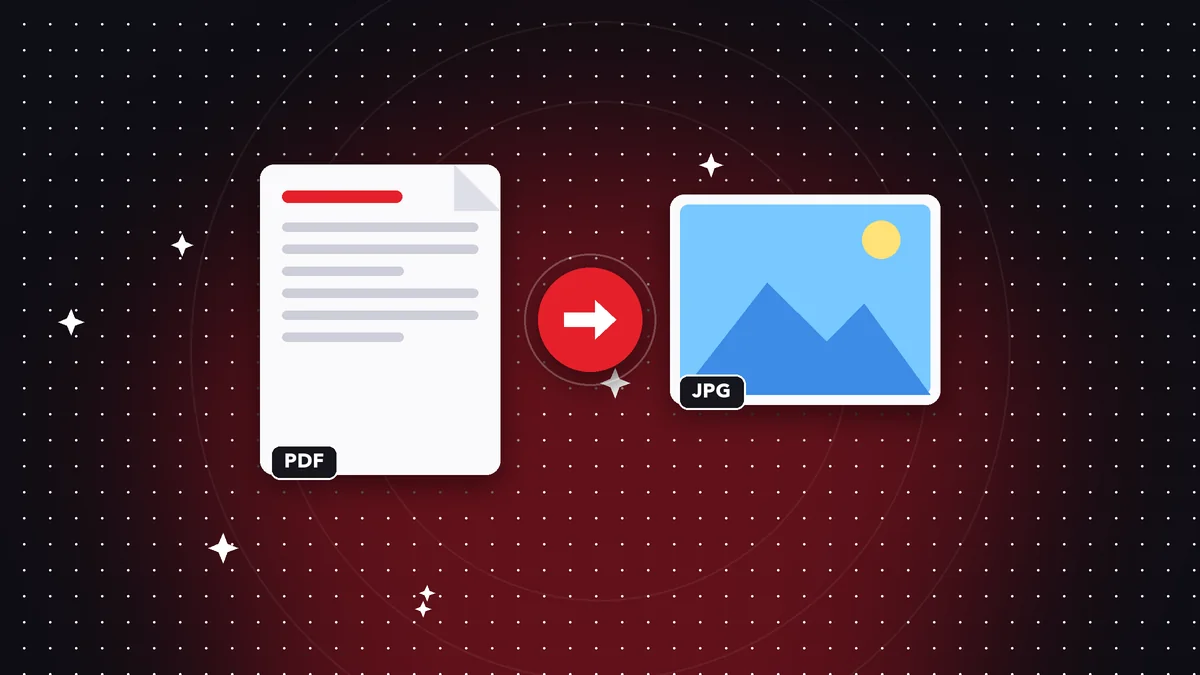
Should I send a photo of my document or the PDF? Should I save my design as a JPG or a PDF? These are common questions, and the right answer changes depending on what you want to achieve. JPG is a lightweight, universal image; PDF is a document that can have several pages, selectable text, and a stable look. Here you'll find the differences that matter, concrete cases to help you decide, and the steps to convert a PDF to JPG with Rayo PDF GO.
Try it now: PDF to Images
Choose your file and continue in the app. It is processed on your device, never uploaded to a server.
What each one really is
JPG (or JPEG) is an image format designed for photographs. It reduces file size by discarding details the eye barely notices, which makes it lightweight and compatible with practically any device, social network, or website.
PDF is a document format. It can contain text, images, vectors, multiple pages, links, and forms, and it looks the same on any computer. A single PDF can be a twenty-page contract or a one-sheet poster.
The basic difference is that a JPG stores a fixed image, while a PDF stores a document. When the content is text, the distinction matters a lot: in a regular PDF you can select, copy, and search it; in a JPG it's just a picture of the text.
If you're still unsure, ask yourself one last question: will people read it, print it, or sign it, or just look at it? For the first three, PDF; for the last one, JPG is usually enough. That simple distinction settles most everyday cases without getting tangled up in more variables.
Quality and file size: the trade-off
JPG trades quality for size, and it does so with loss: if you save the same image several times, the imperfections add up. It works very well with photos, but with small text or fine lines it can show blurry edges.
A PDF can keep text sharp at any zoom level because it doesn't store it as pixels, but as letters. If it contains photos, their quality depends on how they were embedded. A PDF with very heavy images can be quite large, but it can be reduced with Compress PDF.
That's why, for sending an invoice or a certificate, a PDF usually looks better and more professional. For showing a photo on WhatsApp or in a post, JPG is more practical. Ask yourself whether what matters is reading accurately or viewing quickly.
File size also counts when you send by chat or by email with a size limit. A PDF page converted to a high-quality JPG can weigh more than the text PDF itself, while a photo of the same document taken with your phone can be huge. Compare actual file sizes before deciding and, if needed, compress or resize.
When PDF is the better choice
When the document has several pages, needs to be printed, must stay intact, or is going to be signed. Also when the other person needs to copy text, search for words, or fill out a form.
It's the standard for resumes, contracts, quotes, certificates, statements, manuals, and academic papers. Many portals and agencies require it, and some also limit the maximum file size, which you can solve by compressing.
If you have photos of a document, you can combine them into a single PDF with the Images to PDF tool (on the free plan, up to 10 images per batch). They end up arranged as pages, which is much easier to send than twelve loose photos.
When JPG is the better choice
When you need a single image for social media, a blog, a presentation, or a chat. Also to show a preview of a page, or to share something everyone can see without opening a document reader.
It's also the best option for photographs: landscapes, products, portraits. E-commerce platforms and profiles usually ask for images, not PDFs. And if you're going to edit it, a JPG opens in any editor.
Keep in mind that JPG doesn't support transparency or multiple pages. For logos with a transparent background, another format is usually better, and for long documents, PDF. If file size is a problem, you can use Compress image or Resize image to bring it down.
As for accessibility, a PDF with real text lets a screen reader read it aloud and lets anyone enlarge the content without it turning pixelated. A JPG with text inside offers none of that. If your document will be read by people with visual impairments, a PDF with selectable text is clearly the best choice.
Step by step: convert a PDF to JPG in Rayo PDF GO
1) Open Rayo PDF GO at rayopdfgo.com/app (free account) or in the app on your device and go to PDF to images. Select the PDF you want to convert. If the conversion is for publishing online, also think about the file name: use descriptive words without accents or spaces, because that makes it easier to find and avoids broken links.
2) Choose the pages and the output image format, in this case JPG. On the free plan you can convert up to 5 pages at a time at standard quality; with Premium those limits go away and you can choose higher quality.
3) Convert and download the images. The process happens on your device: the PDF is never uploaded to any server. Check that the text is legible; if you need it sharper, use a higher quality when your plan allows it.
Common mistakes when choosing a format
Sending loose photos of a multi-page document instead of a PDF. It's awkward for the person receiving it, easily gets out of order, and sometimes a page goes missing. Put everything into a single file.
Converting a PDF to JPG to make it "editable." A JPG can't be edited like text; it's an image. If you need to change the content, convert to Word or use OCR on the scan, knowing that the result may need corrections.
Compressing too much. Lowering the quality of a JPG or a PDF too far can make small numbers illegible. Before sending an important document, open it and check that it reads well, especially figures, dates, and names.
Real-world cases to decide quickly
A student uploading an assignment to a platform should probably use PDF. A seller listing a product will use JPG. A person sending their ID for paperwork should check the required format; many agencies ask for PDF, and some ask for an image.
If you need both, no problem: keep the original as a PDF and generate a JPG only when you need it. That way you don't lose quality or searchability in the main document.
And if you're sharing sensitive data in any format, remember that an image can be forwarded too. You can hide sensitive information with the Redact PDF tool before converting, and protect the file with a password if your plan allows it.
Quick decision guide by situation
Sending an application or official document: PDF, and if it asks for a maximum file size, compress until you meet it and check that it's still legible. Showing a preview on social media: JPG of the first page. Sharing a photo in a chat: JPG. Turning in a multi-page assignment: PDF, with the pages in order and numbered.
Uploading a document to an online store or a portal that only accepts images: JPG or PNG, converting the pages from the PDF. Printing at a print shop: PDF, because it keeps dimensions and typefaces. Saving a receipt as a backup: PDF, and if it's a photo, convert it to PDF so it doesn't get lost in your gallery.
Sending a poster or a design to a client: both can work. A PDF keeps quality for printing; a JPG is good for a quick look on a phone. If in doubt, send both with names that say what each one is for, such as "for print" and "for screen."
When someone asks for one page of a long PDF as an image, you don't need to convert the whole thing. Select just the page that's needed, convert it to JPG, and save on file size and time. If you need it smaller, use Resize image or Compress image afterward, making sure the text stays legible.
Frequently asked questions
Is it better to send a document as a PDF or a JPG?
For multi-page documents, paperwork, or printing, PDF. For a single image or for quick sharing on social media and chats, JPG. If an agency asks for a specific format, follow its instructions.
Does a JPG lose quality when converted from a PDF?
It can lose some, because JPG uses lossy compression. At high quality the result is usually very good, but small text can look less sharp than in the PDF.
How many pages can I convert from PDF to images for free?
On the Rayo PDF GO free plan you can convert up to 5 pages at a time at standard quality. Premium removes those limits.
Are my files uploaded when I convert PDF to JPG?
No. The conversion happens on your device and the file is never uploaded to any server.
Can I go back from JPG to PDF?
Yes, with the Images to PDF tool you can combine several images into a single document. The text will still be an image unless you apply OCR to recognize it.
Keep reading
 GuideHow to Archive Documents as PDFs So They Last for Years
A simple method for archiving invoices, contracts, and certificates as PDFs: organization, file names, backups…
Read article › GuideHow to Protect Your Privacy When Sharing a PDF Safely
Learn to hide personal data, clean up metadata, and share a PDF without exposing extra information. Permanent …
Read article › GuideHow to Merge PDF Files Into One (Free, Without Uploading Them)
Learn how to combine several PDF files into one document in under a minute, on your phone or computer, with no…
Read article ›